| Firewall Net | tests, installation & configuration |
|---|---|
|
|
|
||||||||||||||||||||||||||||||||||||||||||||||||||||||||||||||||||||||||||||||||||
Configuring BlackIce |
|
After installing BlackIce, you can do what follows : |
|
|
|
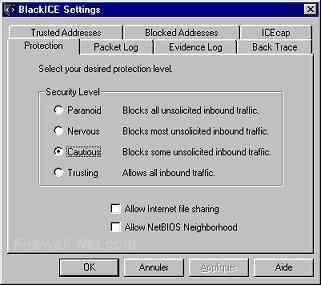
BlackIceis simply configured by security levels . Look in the menu Tools -> Edit BlackIce Settings and choose your security level, normally it' should be at level "nervous",
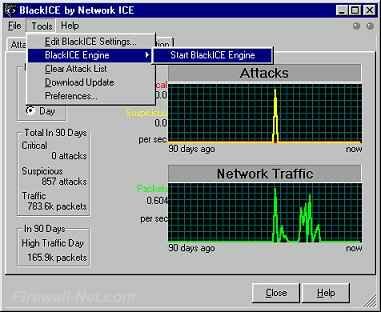
At some security levels , some of your usual softwares may be blocked. Choose a lower security level only if you use at least release 2.5 , so everything will be ok ! Apply and then start the engine (menu Tools blackice engine start).
Simple no ?!! That's all ! |
|
|
|
If you experience problems see the FAQ !!! |
| This site is copyright © Chryjs 1999-2003, all copies forbidden. | |||